
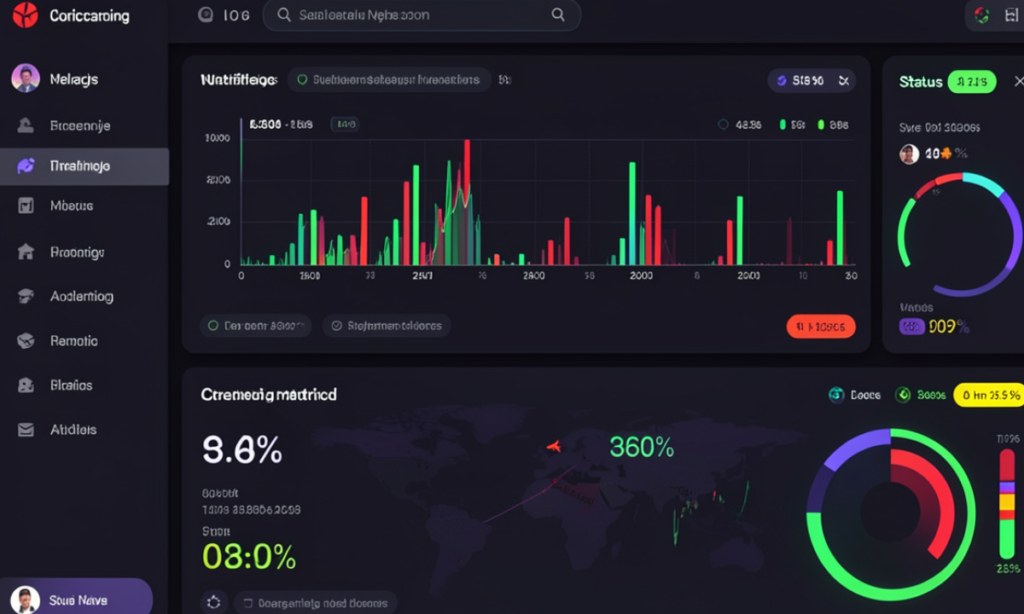
Most UI design education and practice is built around static or near-static content: interfaces where the data changes infrequently, where the user’s action triggers a defined response, and where the designer can specify what the interface will look like at any given moment because the content is predictable. Real-time interfaces break every one of these assumptions. The data changes continuously and unpredictably. The user’s relationship to the interface is active and sustained rather than transactional. The designer cannot specify what the interface will look like at a given moment because the content is determined by events external to both the designer and the user. These differences are not merely technical — they require fundamentally different design thinking, and the designers who understand this distinction build real-time products that perform well where those who apply static design thinking to real-time contexts produce interfaces that fail under the conditions they were built to handle.
The Core Design Problems That Real-Time Data Creates
State Management and Visual Stability Under Continuous Change
The first and most fundamental design challenge in real-time interfaces is the management of visual stability when the underlying data is continuously changing. A financial dashboard showing live market prices, a sports platform showing live match scores, a logistics interface showing real-time fleet positions, and a live casino game showing current bet options and active outcomes — all of these interfaces face the same core tension: the data must be updated frequently enough to be genuinely live, while the interface must remain visually stable enough for the user to maintain orientation and complete their intended tasks.
The naive approach to this challenge — updating every element on the screen whenever the underlying data changes — produces an interface that is technically accurate but practically unusable. A screen where numbers are constantly changing, elements are reflowing, and the user’s eye cannot settle on any stable point because everything is simultaneously in motion is an interface that creates cognitive overload rather than delivering useful information. Users abandon interfaces that make them work too hard to extract information, and continuous visual churn is one of the most reliable causes of premature user exit.
The design solution is selective update architecture: identifying which elements contain the data that users most need to see change in real time, and confining visible update activity to those elements while keeping the surrounding interface stable. A live sports score interface should update the score prominently and immediately, because that is the information the user is primarily tracking. The surrounding match information — team names, competition name, format details — should be visually stable and never update during a session, even if the underlying data model refreshes them as part of a general data pull.
Live interactive entertainment platforms have developed particularly refined implementations of this principle because their user populations are large enough and engaged enough to generate reliable data about which interface decisions produce engagement and which produce abandonment. A desi live casino india platform’s live dealer interface illustrates selective update architecture in practice: the live video feed updates continuously as the highest-priority real-time element; the bet option interface updates at defined points in the game cycle rather than continuously; the user’s balance updates immediately after each action but does not pulse or animate in ways that would draw attention away from the game; and the chat interface operates as a parallel stream that does not disrupt the primary game interaction. Each of these decisions reflects an explicit choice about what should update when, and the combined effect is an interface that feels genuinely live without creating the visual instability that continuous update of all elements would produce.
Latency Visibility and User Expectation Management
The second major design challenge in real-time interfaces is the management of latency — the delay between a data change in the external system and the appearance of that change in the interface. All real-time interfaces have latency; the design question is whether that latency is visible to users and how it affects their experience and trust in the interface.
Latency that is invisible to users — where the interface updates before the user has noticed the delay — is the ideal case, but it is achievable only within certain technical constraints. Applications where the data source is close to the user geographically, the update frequency is low enough to allow adequate processing time, and the interface update is simple enough to execute quickly can deliver effectively invisible latency. As any of these constraints tighten — higher update frequency, more complex interface updates, greater geographic distance between data source and user — latency becomes visible and must be managed through design rather than hidden through technical optimisation.
The design approaches that manage visible latency most effectively share a common principle: they make the latency legible rather than pretending it does not exist. An interface that shows users that it is updating — through a subtle animation, a timestamp showing when the data was last refreshed, or a loading indicator that appears and disappears quickly — manages the user’s expectation rather than creating a disconcerting situation where the interface appears frozen or broken. Users who understand that an interface is processing an update wait for it; users who do not understand why the interface is not responding assume it is broken and attempt to restart it or leave.
The visual design language for latency communication should be proportional to the latency duration. A 200-millisecond update delay requires no explicit communication — it is below the threshold at which users perceive it as a delay rather than as near-instantaneous response. A 2-second update delay should be communicated subtly — a brief animation or indicator that acknowledges the processing is occurring. A 10-second delay requires more explicit communication — a progress indicator or explanatory text that gives the user enough information to decide whether to wait. Applying the same communication approach to all latency durations is a common design error that either creates visual noise for short delays or leaves users without orientation during long ones.
Designing Real-Time Interfaces That Hold Up Under Use
The Information Architecture Decisions That Matter Most
The information architecture of a real-time interface — which information is shown, in what visual hierarchy, updated at what frequency — determines whether the interface serves users effectively under the cognitive conditions of genuine real-time engagement. These conditions are different from the conditions under which most UI design is evaluated: static screenshots and prototype walkthroughs show interfaces at rest, not under the cognitive load of real-time data processing.
The most important information architecture decision in real-time interface design is the definition of the critical data — the information that the user absolutely must see, without visual search, at any moment during their engagement with the interface. This critical data should occupy the most stable, most prominent, and most consistently located position in the interface, and it should never be displaced by updates to secondary data. Every other information architecture decision should be made relative to this anchor.
The second most important decision is the sequencing of information updates. When multiple data elements update simultaneously — as often happens in genuinely real-time systems where a single event triggers multiple data changes — the interface should update them in an order that reflects their importance to the user rather than in the order that the data pipeline delivers them. The score updates before the win probability recalculation. The transaction confirmation updates before the balance calculation. The match result updates before the league table position change. Sequencing updates by user priority rather than by pipeline sequence requires deliberate design specification rather than default implementation, but the user experience difference between priority-sequenced and pipeline-sequenced updates is significant.
The characteristics of real-time interface information architectures that consistently perform well under genuine live conditions are:
- Fixed primary information zones that never reflow or resize regardless of data changes, ensuring that users can develop reliable spatial memory for where critical information will be found
- Secondary information collapse under load — when the interface must handle a high volume of simultaneous updates, secondary information should be deprioritised or temporarily hidden rather than creating visual chaos through simultaneous updates of all elements
- Explicit timestamp or freshness indicators for data that users need to know the age of, particularly in interfaces where the speed of the underlying data matters for user decisions
The numbered design principles for building real-time UI that performs correctly under production conditions are as follows:
- Define the critical update hierarchy before designing any visual element — establish which data elements must update immediately, which can update at defined intervals, and which can defer updates until natural pause points in the user’s interaction with the interface, then design the visual system to reflect this hierarchy rather than deriving the hierarchy from the visual system
- Design for the worst-case update scenario — the maximum number of simultaneous updates, the longest realistic latency, and the most complex data state — rather than the average case, because real-time interfaces fail under peak conditions and the user experience during those conditions determines whether users trust the interface
- Test with real data under real conditions before considering the design complete — prototype walkthroughs with static mockups do not reveal the visual stability problems that appear when real-time data is flowing through the interface, and many real-time UI problems are invisible until actual data volume and update frequency are applied
- Implement update animations that serve information rather than decoration — transitions and animations in real-time interfaces should communicate data change, not aesthetic refinement; an animation that draws attention to a changed value serves the user; an animation that adds visual interest to a stable element creates competition for attention that a live interface cannot afford
Conclusion: Real-Time Is a Different Design Discipline
The designer who has built excellent static digital products is not automatically equipped to build excellent real-time interfaces, because the core challenges are different. Managing visual stability under continuous change, communicating latency without creating anxiety, sequencing updates by user priority, and designing for peak-load conditions rather than average conditions require design thinking that the static product context does not develop. The designers who build real-time products that users trust — that feel genuinely live without feeling unstable, that deliver critical information without cognitive overload, and that maintain user orientation through complex data states — are those who have understood and addressed these challenges explicitly rather than discovering them through the feedback of failed implementations. Real-time interface design is demanding precisely because the feedback from getting it wrong arrives in production rather than in testing, and the cost of that feedback is measured in user abandonment.