
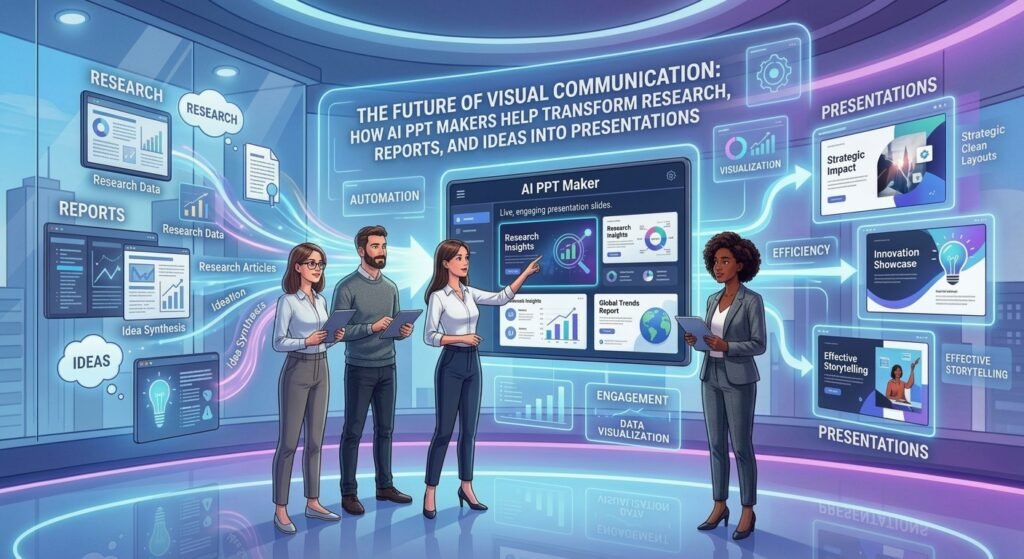
Modern professionals work with more information than ever before.
Research papers, business reports, survey findings, technical documents, and project updates contain valuable insights that often need to be communicated to different audiences.
However, information that works well in a written report may not be suitable for a presentation.
A detailed document may include extensive explanations, supporting evidence, and technical terminology.
A presentation requires a more selective approach.
The challenge is identifying the central message and organizing supporting information into a clear visual narrative.
AI-powered presentation tools are becoming useful resources for individuals who need to make this transition efficiently.
Why Information Needs to Be Reorganized for Presentations
Reports and presentations serve different purposes.
A report allows readers to examine detailed information at their own pace.
A presentation is typically designed to communicate key findings within a limited period.
For example, a research report containing 40 pages may need to become a 12-slide presentation for a conference.
The presenter must decide which findings deserve emphasis and which details can remain in the supporting document.
This requires understanding the audience and the purpose of the presentation.
AI-assisted tools can help develop an initial structure, but the user must determine whether the selected information accurately represents the source.
1. Researchers: Communicating Findings Clearly
Researchers frequently present their work at conferences, seminars, and institutional meetings.
These presentations may involve complex methodologies, statistical findings, and technical explanations.
An AI Presentation Maker can help organize research information into sections covering the research question, methodology, results, limitations, and conclusions.
However, researchers should verify every summary and ensure that important qualifications are preserved.
For example, a study identifying a relationship between two variables should not automatically be presented as evidence of causation.
Scientific accuracy must remain the priority.
2. Financial Analysts: Explaining Performance Through Visuals
Financial analysts often work with detailed spreadsheets and reports.
Their presentations may need to communicate revenue trends, cost structures, financial performance, and business forecasts.
AI-assisted presentation preparation can help organize these findings into a logical sequence.
However, all figures should be verified against the underlying financial documents.
Charts should accurately represent the data and avoid misleading scales or comparisons.
The From Data to Viz resource provides guidance on selecting suitable visualizations for different data types.
3. Consultants: Turning Complex Reports Into Recommendations
Consultants frequently prepare reports containing extensive research and analysis.
Their clients may need concise presentations that emphasize findings and recommendations.
For example, a consultant conducting a market-entry assessment might analyze market size, customer segments, competitors, regulatory considerations, and potential risks.
The final presentation should communicate the most important conclusions.
AI-assisted tools can help develop an outline covering the market opportunity, supporting evidence, challenges, and recommended actions.
The consultant can then refine the content based on the client’s objectives.
4. Knowledge Workers: Making Everyday Communication More Efficient
Many professionals prepare presentations even when presentation design is not part of their primary responsibilities.
Project coordinators, operations managers, analysts, and administrative professionals may need to communicate updates or explain processes.
For these users, presentation preparation can become an additional task alongside their regular responsibilities.
An AI-powered tool can help reduce the time required to organize information.
For example, a project coordinator could begin with meeting notes and develop a presentation covering progress, risks, and upcoming activities.
The final slides should still be reviewed for accuracy and completeness.
How AI PPT Makers Support Document-Based Workflows
One of the most practical applications of AI-assisted presentation tools is transforming written information into slide content.
A user may begin with a report summary, meeting notes, or research findings.
An ai ppt maker can help organize this information into a suggested presentation structure.
Quillbot AI Presentation Maker supports this type of workflow by helping users develop slide content from initial ideas and supporting material.
For example, a business report could be organized into slides covering background information, major findings, performance indicators, and recommendations.
However, users should avoid assuming that every detail in the original document belongs in the presentation.
The objective is to communicate the most important information clearly.
Choosing the Right Visuals for Different Information
Visual communication can improve understanding when the design supports the message.
For example, a line chart can help explain trends over time.
A bar chart may be more appropriate for comparing categories.
A process diagram can illustrate the steps involved in a workflow.
However, visuals should not be added simply to make slides appear more attractive.
Each element should help the audience understand the information.
For additional guidance on slide creation and formatting, users can explore Microsoft PowerPoint support resources.
Building a More Effective AI-Assisted Presentation Process
A practical presentation workflow begins with identifying the audience and objective.
The next step is reviewing the source material and selecting the most important findings.
AI can then help organize the information into an initial slide outline.
Users should review the structure, verify important claims, and select appropriate visuals.
Finally, the presentation should be refined for clarity and rehearsed before delivery.
This process combines the efficiency of AI-assisted preparation with the judgment required for effective communication.
The Future of Presentation Creation
As AI technology develops, presentation preparation may become more closely connected with document analysis, information organization, and collaborative workflows.
Professionals increasingly need to communicate information across different formats.
AI-powered tools can help reduce the effort required to move between written documents and visual presentations.
However, the availability of automated slide generation also makes careful review more important.
A presentation may look polished while containing inaccurate information or unsupported conclusions.
Human oversight remains essential.
Conclusion
AI-powered presentation tools are changing how people transform information into visual communication.
From research findings and financial reports to consulting recommendations and project updates, AI-assisted presentation preparation can support a wide range of professional activities.
Quillbot AI Presentation Maker provides a starting point for organizing information into structured slide content.
However, the strongest presentations continue to depend on accurate information, thoughtful analysis, and a clear understanding of the audience.
The future of visual communication will involve combining technological efficiency with human expertise to make complex ideas easier to understand.